


Timestamp Camera
4.63.56K Reviews
App Specs
- Version
- Varies with Device
- Updated On
- License
- Free
- Downloads
- 50,000,000+
- Developer
- Bian Di
- Categories
- Photography
- Platform
- Android, iOS
Screenshots
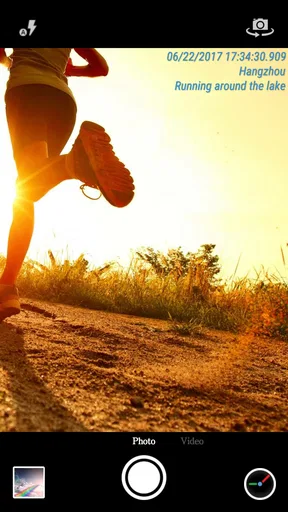
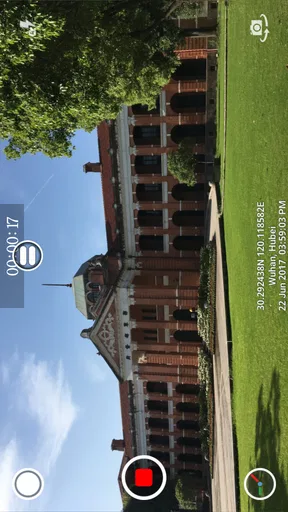
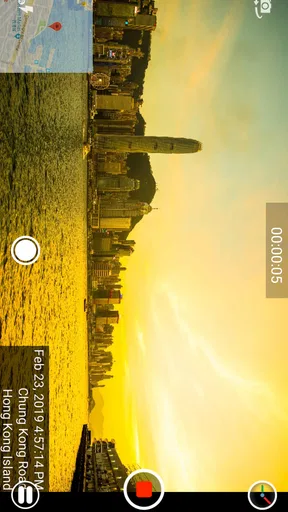
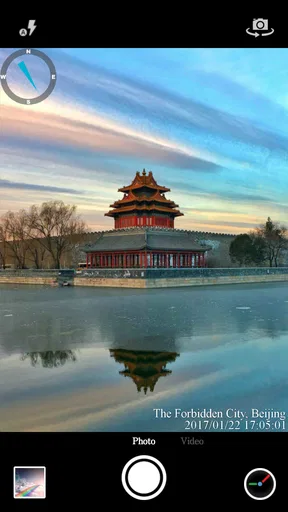
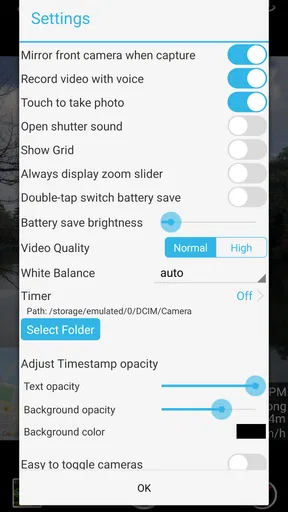
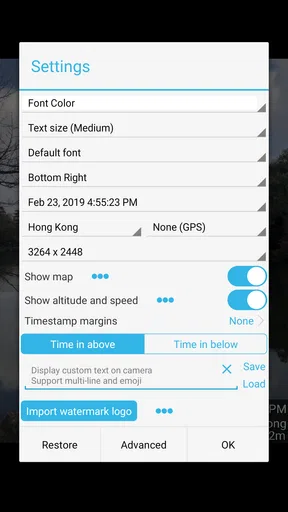
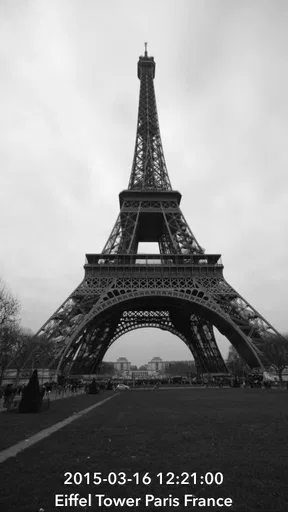
 Analysis by AppCompare
Ever had those moments when you capture a perfect shot and wish you could remember exactly when and where it was taken? Well, that’s where Timestamp Camera comes in handy. I’ve been playing around with this app for a while, and let me tell you, it's quite the useful tool if you love documenting your life with precision.
What’s the Deal with Timestamp Camera?
So, you might be wondering what exactly Timestamp Camera does. It's an app that lets you add timestamps, location tags, and even custom texts to your photos and videos. Imagine having a digital diary of your adventures with all the details neatly embedded right on the media itself. It’s like having an organized photo album without the hassle.
Getting Started
Downloading Timestamp Camera is a breeze. It’s available on both Android and iOS, so you’re covered no matter what device you’re using. The interface is pretty straightforward, which is a relief. You won’t be overwhelmed by too many options right off the bat.
Once you open the app, you're greeted with a camera interface that resembles your regular phone camera, but with a few extra features. You can easily toggle between adding a timestamp, location, or custom text. The customization options are surprisingly extensive, allowing you to choose the format of the date and time, the font style, and even the color. It’s all about making your media as personalized as possible.
Features That Stand Out
One of the coolest things about Timestamp Camera is its versatility. You can use it for both photos and videos, which is a big win if you’re into vlogging or documenting events. The location tagging is particularly nifty if you travel a lot or want to remember exactly where that breathtaking sunset was.
The app also supports multiple resolutions, so you don’t have to compromise on the quality of your media. And if you’re feeling creative, you can add custom watermarks or logos to your shots. It’s like having a mini editing tool right in your pocket.
Why You Might Love It
If you’re someone who loves keeping a detailed record of your life’s moments, this app is a gem. It’s especially useful for professionals who need to document events or projects with precision. Think journalists, real estate agents, or even construction workers who need to track progress over time.
Worth Reading Before You Choose

EA SPORTS FC Mobile 26 Is a Bigger Football Game, but It Takes Time

Flipboard Shows What News Apps Must Do Beyond the Feed

Switching to Android Auto Means Rethinking Your Driving Routine

Google Calendar Makes a Crowded Week Easier to Manage

Ludo King Makes the Most of the Minutes Between Plans

Baby Panda World Brings Quick Play to Modern Phones, but Its Game Library Feels Busy
For personal use, it’s just fun. Whether it’s a family gathering, a road trip, or a simple stroll in the park, having a timestamp can make those memories even more vivid. Plus, sharing these tagged photos on social media can add an extra layer of storytelling to your posts.
Things to Keep in Mind
While Timestamp Camera is packed with features, it’s not without its quirks. Sometimes, the location tagging can be a bit off if your GPS signal isn’t strong, so double-checking is a good idea. Also, the free version does come with ads, which might be a tad annoying if you're using the app frequently. But hey, there’s always the option to upgrade if you want an ad-free experience.
Another thing to note is battery usage. Like any app that makes use of your camera and GPS, it can be a bit of a battery drainer, so make sure your phone is charged if you’re planning a long day of shooting.
Final Thoughts
All in all, Timestamp Camera is a handy app that serves a niche but valuable purpose. It’s perfect for those who love to capture life’s moments with a bit more context. The ability to personalize and document your photos and videos makes it a great tool for both personal and professional use.
So, if you’re looking to add a bit more detail to your media, give Timestamp Camera a shot. It might just become your new favorite app for preserving memories. Happy documenting!
Pros
- Highly customizable timestamp options.
- Supports both video and photo modes.
- Easy integration with cloud storage.
- User-friendly interface and design.
- Frequent updates with new features.
Cons
- Limited editing tools for photos.
- Some features require in-app purchases.
- Can drain battery quickly during use.
- Occasional ads interrupt user experience.
- Lacks advanced video editing options.
FAQs for Timestamp Camera
What features does Timestamp Camera offer?
Timestamp Camera provides a variety of features that enhance your photo and video capturing experience. Users can apply timestamps with customizable formats, adjust font colors, and choose from multiple date stamps. The app also supports geotagging, allowing you to include location data, and offers options for watermarking and adding custom text to your media.
Is Timestamp Camera easy to use for beginners?
Yes, Timestamp Camera is designed with user-friendliness in mind, making it accessible for beginners. The intuitive interface allows users to easily navigate through options and customize settings. Whether you need to add timestamps or location data, the straightforward design ensures a smooth experience without a steep learning curve.
Can I use Timestamp Camera offline?
Timestamp Camera can function without an internet connection, allowing you to add timestamps and other features offline. However, for geotagging and location-based features, an active internet connection or GPS signal may be required to ensure accuracy and functionality.
Does Timestamp Camera affect the quality of photos and videos?
Timestamp Camera is optimized to maintain the quality of your photos and videos. It ensures that any added timestamps or watermarks do not degrade the original media quality. Users can expect their media to retain its clarity and resolution, even after applying various customizations.
Are there any in-app purchases or advertisements?
Timestamp Camera offers a free version with basic features, but it may include advertisements. For users seeking an ad-free experience or additional features, there might be in-app purchases available. These purchases can unlock premium options and enhance the app's overall functionality, providing more customization and control.


